
We understand if you're not comfortable linking your bank account for income verification — no worries! You can upload your documents instead. Just follow these steps:
1. Log in to tenantev.com.
2. Select your application.
3. Under the Pending tab, find the task labeled "Proof of Income" and click Start Now.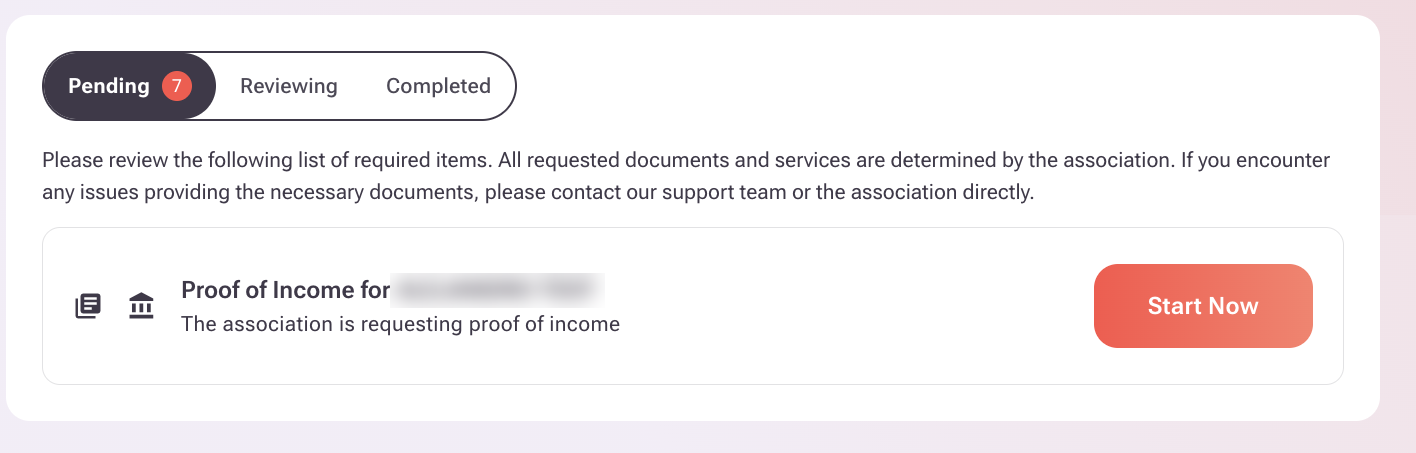
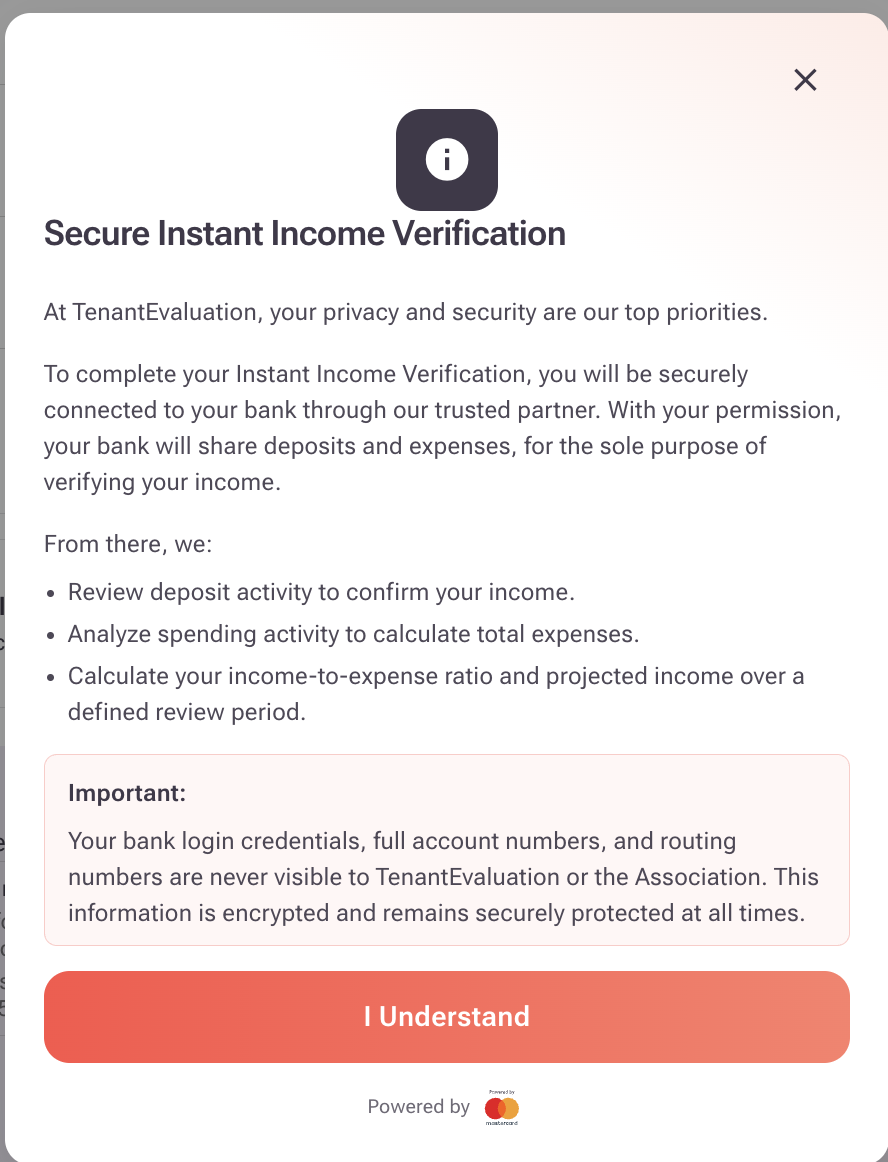
4. A Secure Instant Income Verification screen will appear explaining how your information is protected. Click "I Understand" to continue.
5. On the Select your Bank Account(s) screen, don't click Next. Instead, click "I can't find my financial institution" at the bottom right of the screen.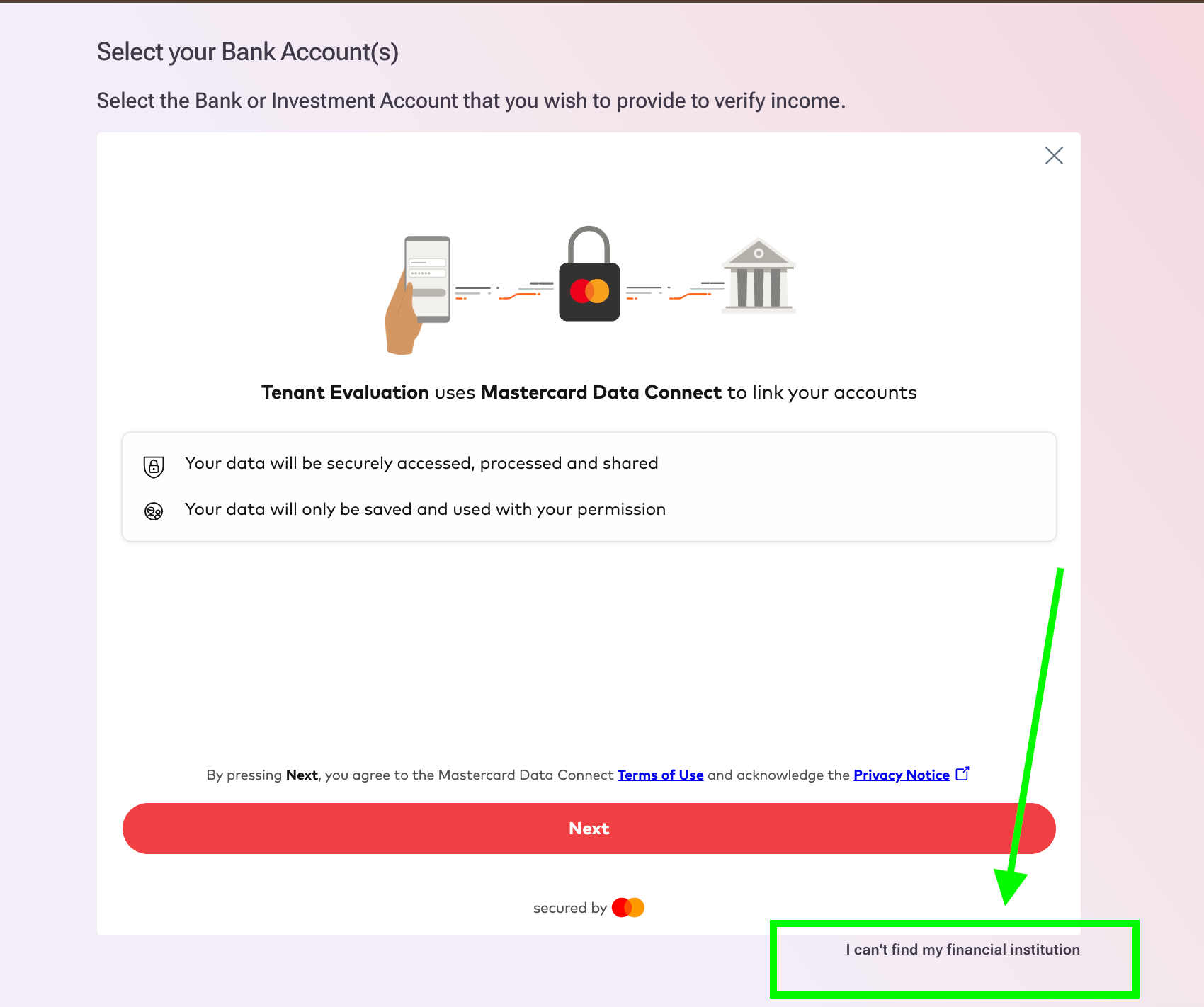
6. A Proof of income documents window will appear listing the documents your association requires. Review the list and click "Upload Documents Now."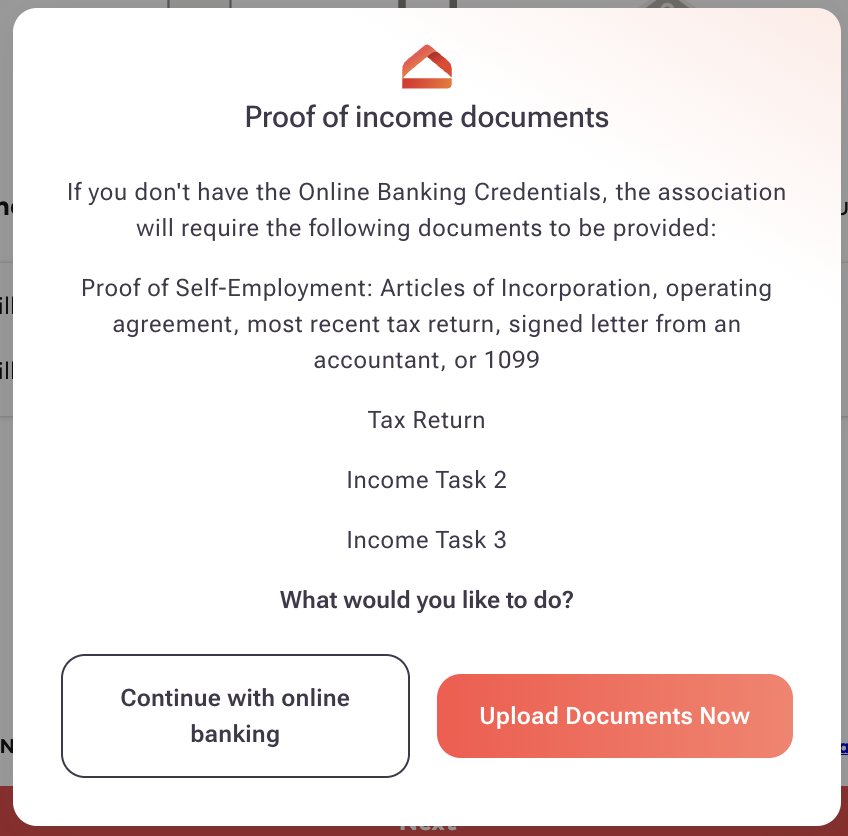
If you change your mind and want to verify through your bank instead, click "Continue with online banking."
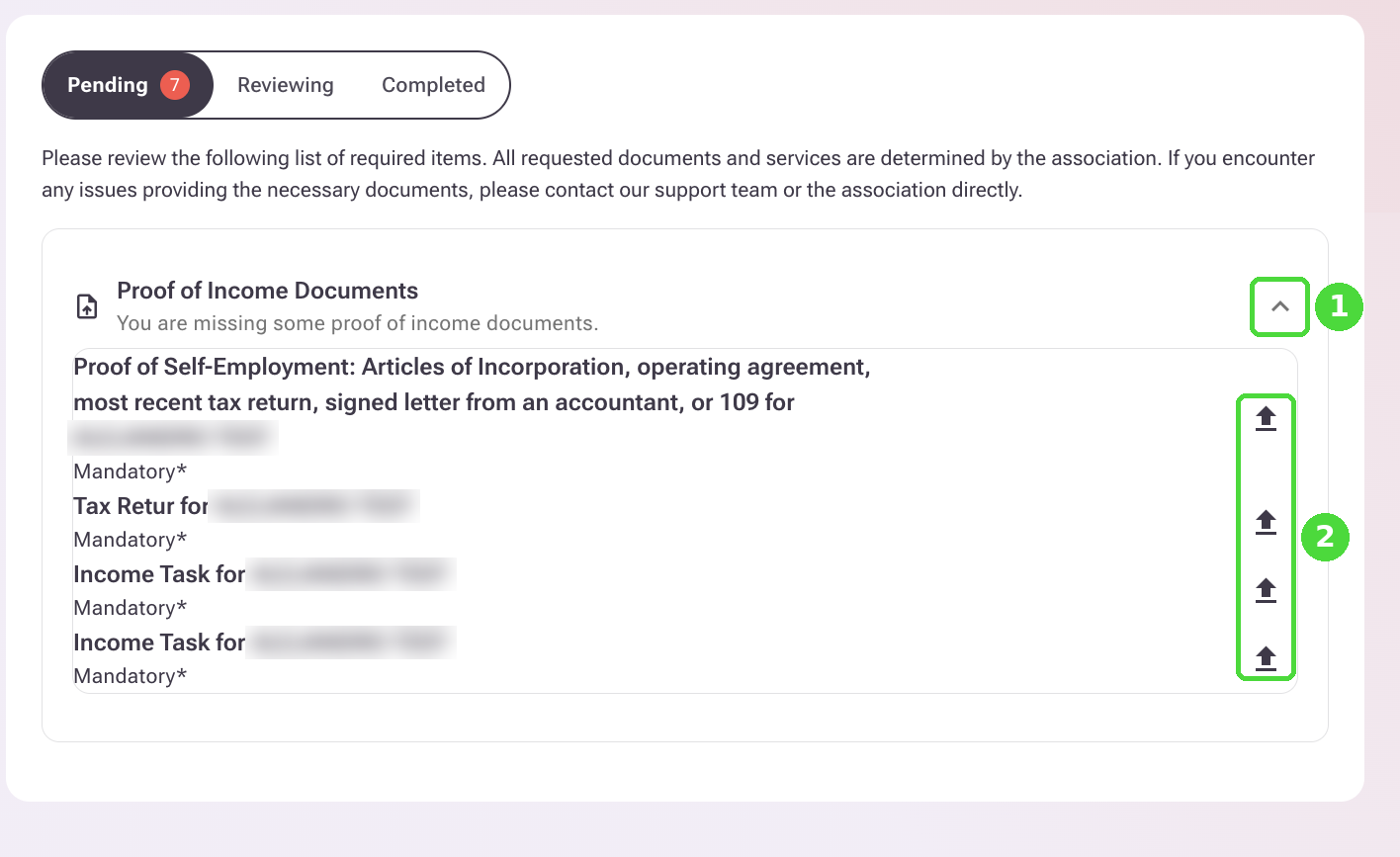
8. In the Proof of Income Documents section, click the arrow on the right (1) to expand it. The list of required proof of income documents will appear. Click the upward arrow ⬆ next to each document (2) to upload it.
9. The Documents to upload screen will open. Drag your file into the upload box, or click it to browse your computer (1). Accepted formats are JPG, PNG or PDF, up to 20 MB per file.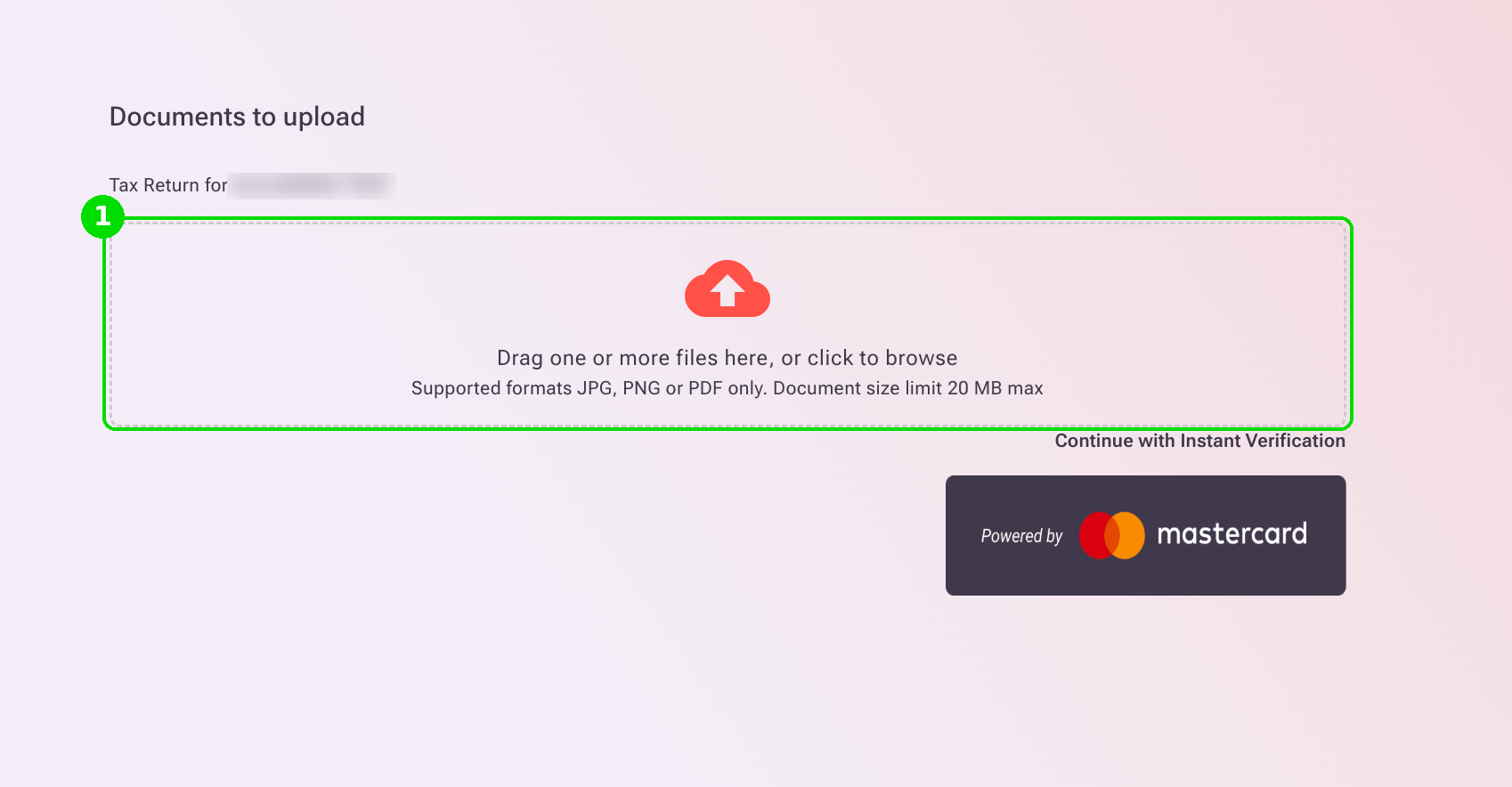
Once the file is uploaded, you'll see it listed with a green check mark (2). You can click View to review it or the trash icon to remove it. When you're done, click "Submit All Files And Close" (3).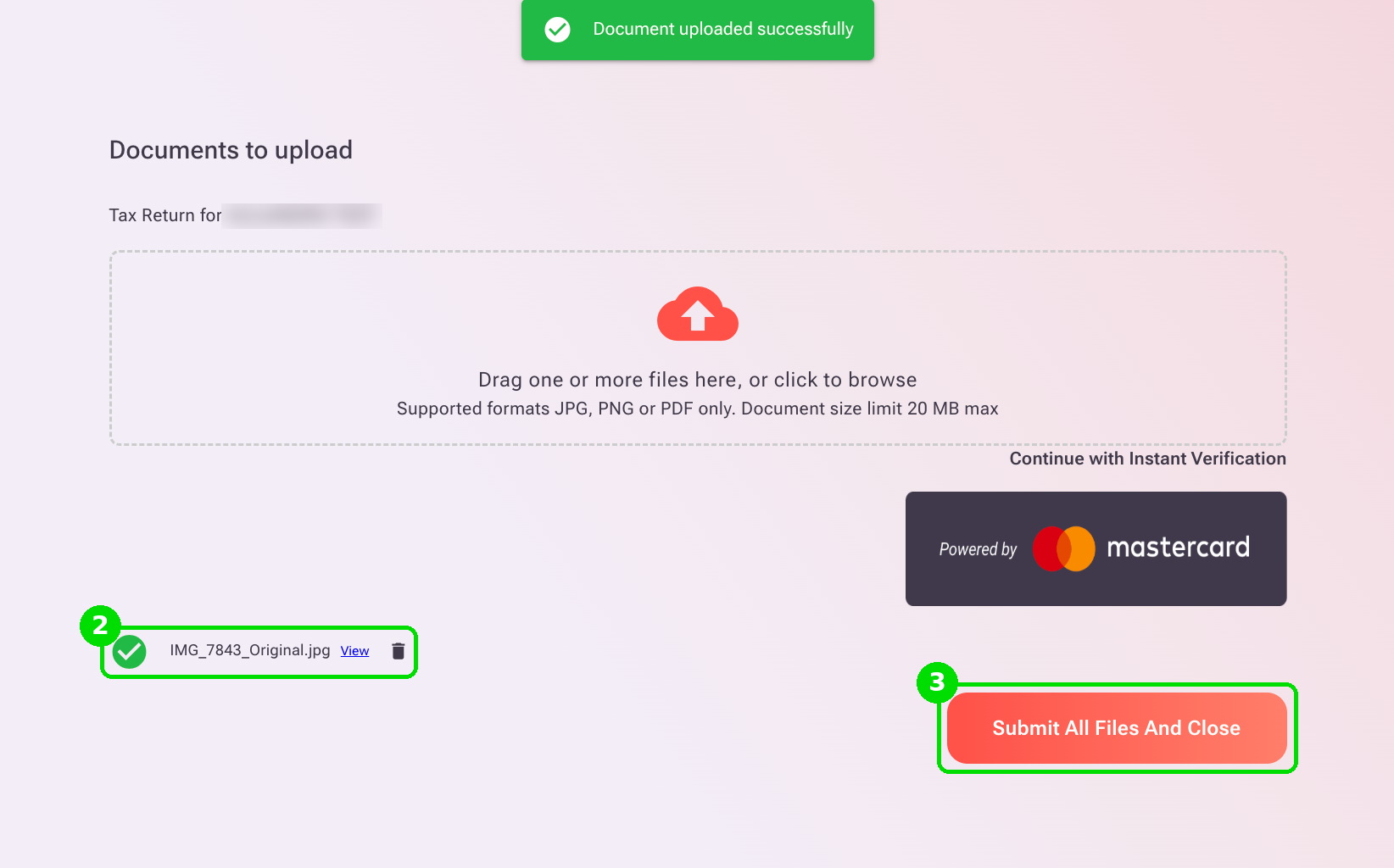
Repeat this step for each document listed in the Proof of Income Documents section.